
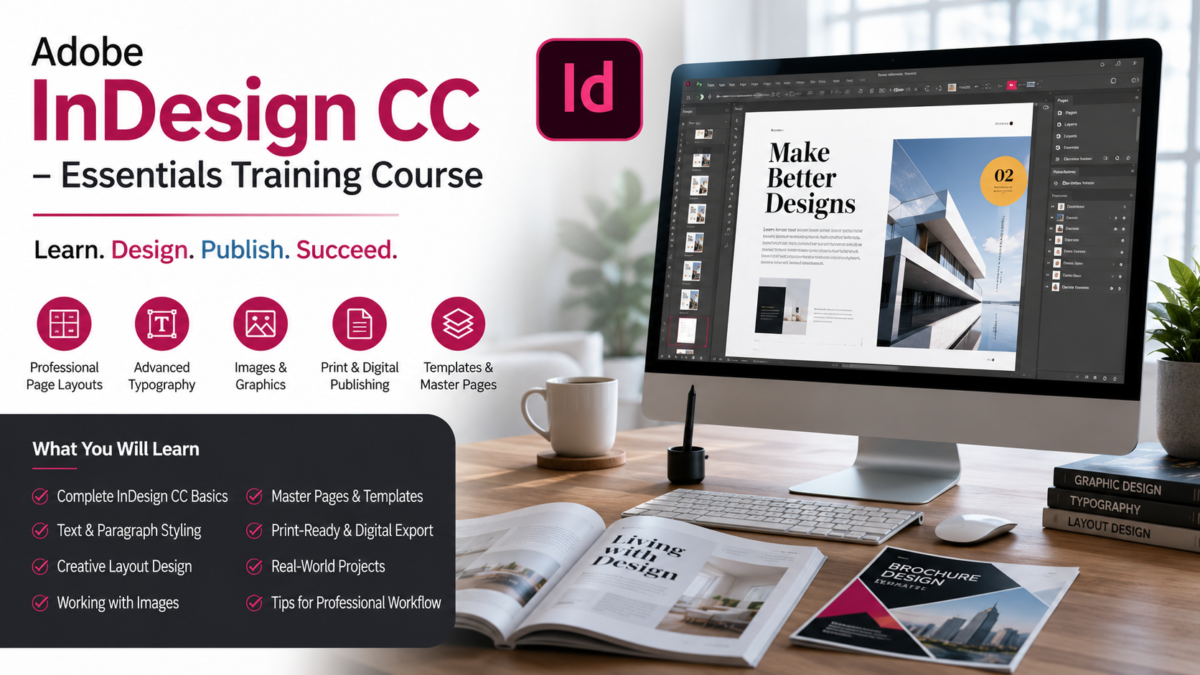
Master Adobe InDesign CC with this beginner-friendly training course. Learn typography, page layouts, brochures, magazines, eBooks, and professional publishing techniques. The Adobe InDesign CC – Essentials Training Course is created to help beginners and aspiring designers learn one of the most powerful tools used in professional desktop publishing worldwide.
In today’s digital world, creating visually appealing designs is essential for marketing, branding, publishing, and business communication.
Whether you’re making a brochure, magazine, catalog, eBook, flyer, or business presentation, the look and feel of your design can leave a lasting impression. This is where Adobe InDesign CC plays an important role.
If you’re interested in making great layouts, improving your design skills, and opening new career pathways, this course is a great place to start.
Why Learn Adobe InDesign CC?
Adobe InDesign CC is the industry standard for page layout and publishing.
Graphic designers, publishers, marketers, and businesses use it to create visually striking print and digital content.
Unlike simpler design tools, InDesign offers advanced typography controls, multi-page document management, professional layout features, and seamless integration with other Adobe Creative Cloud applications.
Learning InDesign can help you:
- Create professional brochures and flyers
- Design magazines and newspapers
- Build interactive PDFs and eBooks
- Develop marketing materials for businesses
- Improve your graphic design portfolio
- Start a freelance design career
As businesses increasingly depend on high-quality visual content, InDesign skills remain highly valuable in a competitive marketplace.
Table of Contents
What Makes This Course Special?
The Adobe InDesign CC – Essentials Training Course is structured to make learning clear, practical, and engaging.
Even if you’ve never used InDesign before, you’ll find it easy to follow along.
The course focuses on hands-on learning rather than complex theory.
Every lesson is designed to help students understand real-world applications and build practical skills they can apply right away.
Students will follow the full workflow used by professional designers, from setting up documents to exporting final projects.
Skills You Will Learn
This course covers all the essential tools and techniques needed to work confidently in Adobe InDesign CC.
Understanding the Interface
You’ll begin by learning the InDesign workspace, menus, panels, and tools.
This foundation helps new users become comfortable with the software quickly.
Working with Text and Typography
Typography is a key part of professional design.
You’ll learn how to:
- Format text professionally
- Use fonts effectively
- Create paragraph and character styles
- Improve readability and visual appeal
Creating Professional Layouts
The course teaches the principles of layout design, helping students organize content in a visually appealing and structured manner.
You’ll learn how to create:
- Flyers
- Brochures
- Newsletters
- Catalogs
- Magazines
- Marketing materials
Working with Images and Graphics
Images are a key element in modern design.
You’ll discover how to import, position, resize, and manage images while keeping the quality high.
Master Pages and Templates
One of InDesign’s most powerful features is the ability to create reusable layouts.
You’ll learn how to use master pages and templates to save time and maintain consistency across projects.
Preparing Files for Print and Digital Publishing
The course also explains how to export projects correctly for professional printing and digital distribution.
Who Should Enroll?
This course is ideal for:
Beginners
No prior design experience is required.
The lessons start from the basics and build up step by step.
Freelancers
Freelancers can add InDesign services to their portfolio and offer brochure design, magazine design, and publishing services to clients.
Students
Students studying graphic design, media, publishing, or digital marketing can gain valuable industry skills.
Business Owners
Entrepreneurs can create professional marketing materials without depending on expensive design agencies.
Content Creators and Marketers
Digital marketers and content creators can use InDesign to create visually appealing promotional content and branded materials.
Read Also – Adobe Premiere Pro Complete Course In Hindi | Beginner To Ad
Benefits of Learning Adobe InDesign
Investing time in learning Adobe InDesign can provide long-term benefits.
Career Opportunities
Many companies actively seek professionals with publishing and layout design skills.
Freelance Income Potential
Design services such as brochure creation, catalog design, magazine layout, and eBook formatting are in constant demand.
Professional Branding
Businesses that create professional marketing materials often build stronger brand credibility and customer trust.
Increased Productivity
InDesign allows users to work faster and more efficiently when creating multi-page documents and marketing assets.
Why Adobe InDesign Remains an Industry Standard
Despite the availability of many design tools, Adobe InDesign continues to dominate the publishing and layout design industry because of its reliability, advanced features, and professional output quality.
Publishers, advertising agencies, marketing teams, and graphic designers rely on InDesign daily for creating high-quality print and digital publications.
Learning this software gives students access to professional design workflows used worldwide.
Final Thoughts
The Adobe InDesign CC – Essentials Training Course is the perfect opportunity for anyone looking to learn professional publishing and layout design.
Whether you’re a beginner, freelancer, student, marketer, or business owner, this course provides the knowledge and practical skills needed to create stunning designs with confidence.
By mastering Adobe InDesign CC, you’ll be able to create professional-quality projects, improve your creative abilities, and unlock new personal and professional opportunities.
If you’re ready to build valuable design skills and create impressive visual content, this course is an excellent investment in your future.